A captivating roleplay world rarely consists of just you and a single companion. To create a living, breathing digital universe—whether it’s a bustling tavern, a corporate office, or a sprawling fantasy city—you need supporting side characters.
However, trying to cram every side character’s backstory directly into your main companion’s character card will quickly overwhelm your token budget and cause massive memory bleed.
The secret to populating dynamic environments lies in your world info settings. Knowing how to write NPCs in AI lorebook files allows you to inject side characters into the context window only when they enter the active scene, saving precious memory while maintaining flawless character consistency.
Here is your step-by-step guide to scripting rich, responsive NPCs inside your core AI lorebook.
The Catch-22 of Lorebook NPCs: Triggers vs. Spontaneous Entrances
To script NPCs effectively, you must first understand how a lorebook operates:
- Keyword Triggers: Standard lorebook entries sit idle until a specific keyword (e.g.,
"Barman Jack") appears in your recent chat log. When triggered, the NPC’s description gets injected into the context window. - The Catch-22: If the AI model doesn’t know Jack exists, it won’t mention his name. But if you don’t type his name, his lorebook entry won’t trigger!
To break this loop and allow NPCs to naturally walk into scenes, you need a two-tier entry strategy.
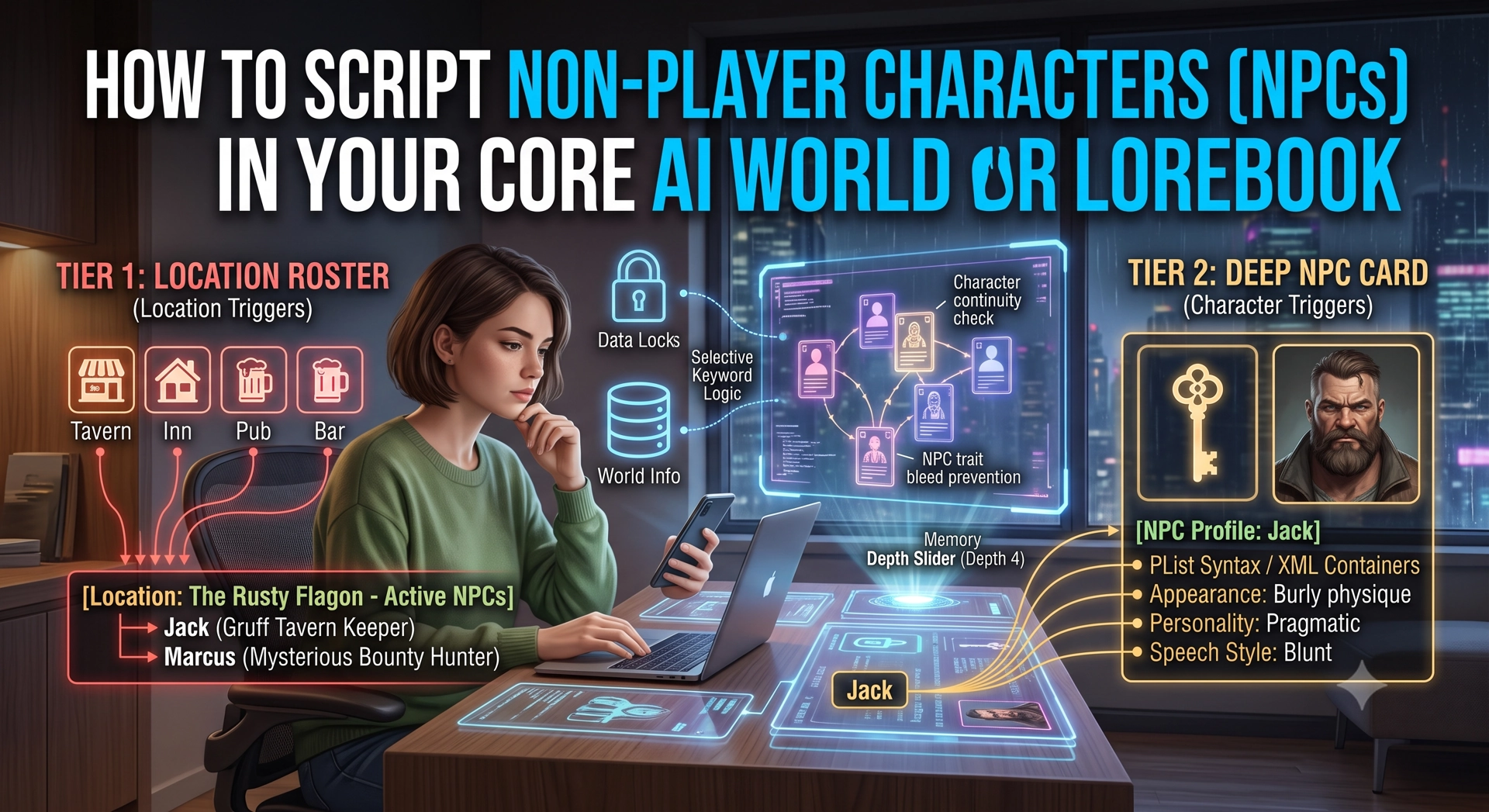
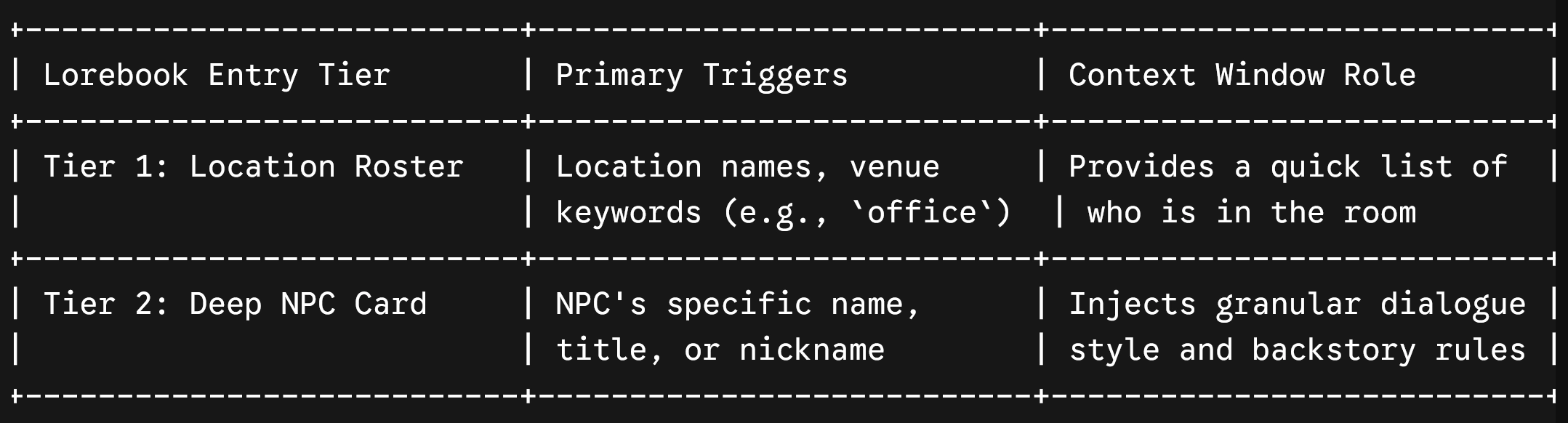
Tier 1: The “Always On” Roster Entry (Location Triggers)
Instead of setting the NPC’s primary trigger strictly to their name, tie their entry to the location or scenario where they belong.
Create a lightweight “Roster Entry” inside your lorebook that lists every side character associated with a specific place.
- Keys/Triggers:
Tavern, inn, bar, pub - Insertion Placement: At Depth 4 (or standard World Info placement)
- Entry Content:
[Location: The Rusty Flagon – Active NPCs]
- Jack (Tavern Keeper): Gruff, burly, retired adventurer. Serves drinks, speaks in short grunts.
- Marcus (Bounty Hunter): Mysterious, wears a dark hood, sitting quietly in the corner booth.
Why this works: When you or your companion type “We walk into the tavern,” the AI instantly receives a snapshot of who is in the room. The model now knows Jack and Marcus are present and can naturally write them into the scene.
Tier 2: The Deep NPC Character Card Entry
Once an NPC is introduced to the scene and their name is spoken, you want the model to have full access to their distinct voice, physical appearance, and motives. This is where you create an individual, deep lorebook entry for that specific NPC.
- Keys/Triggers:
Jack, Tavern Keeper, Barman - Selective Keyword Logic: Use exact name matches so this entry only fires when Jack is actively engaged in dialogue.
- Entry Content (PList / W++ Format):
[NPC Profile: Jack]
Name: Jack
Role: Tavern Keeper at The Rusty Flagon
Appearance: Burly physique, scarred chin, thick apron, braided gray beard
Personality: Gruff, pragmatic, secretly protective of locals, loyal
Speech Style: Deep voice, uses colloquial slang, blunt, hates small talk
Relationships: Knows {{char}}’s past; wary of strangers
3 Rules to Prevent NPC Trait Bleed
When an AI model handles multiple characters at once, traits can accidentally “bleed” into your primary companion. Protect your narrative formatting with these golden rules:
- Avoid Generic Pronouns in Lore Entries: Never use “He is…” or “She wears…” inside an NPC entry. Always use the NPC’s actual name (e.g., “Jack wears a leather apron”). Generic pronouns confuse the LLM, leading it to apply the NPC’s outfit or mood to your main companion.
- Use Explicit XML or Bracket Containers: Wrap every NPC entry in structural tags like
[NPC Profile: Name]or<npc_lore>...</npc_lore>. This tells the model that the text block defines a separate entity. - Set Sticky/Cooldown Turns: Give your Tier 2 NPC entries a Sticky value of 2 to 3 turns. This ensures that once Jack’s name is mentioned, his profile stays in the AI’s active memory buffer for a few messages even if his name isn’t repeated in every single line.
The Verdict
Mastering how to write NPCs in AI lorebook environments elevates your interactive stories from simple back-and-forth chats into dynamic worldbuilding experiences. By combining location-triggered rosters with deep individual character profiles, you can populate your roleplay sessions with memorable supporting casts without overflowing your active token limits.