Which AI Companion Platform Features the Easiest Prompt Editing for Backstories?
When crafting a virtual companion, the baseline setup determines everything. If your digital partner lacks emotional depth, behaves inconsistently, or frequently breaks character, the problem almost always traces back to their core configuration. If you want complete control over your narrative experience, knowing how to edit AI companion backstory prompt settings effortlessly is a total game-changer.
But which application actually makes this process smooth for the average creator? Let’s audit the leading companion platforms to see which layout offers the easiest, most intuitive interface for backstory editing.
Why Kindroid Makes it Effortless to Edit AI Companion Backstory Prompt Structures
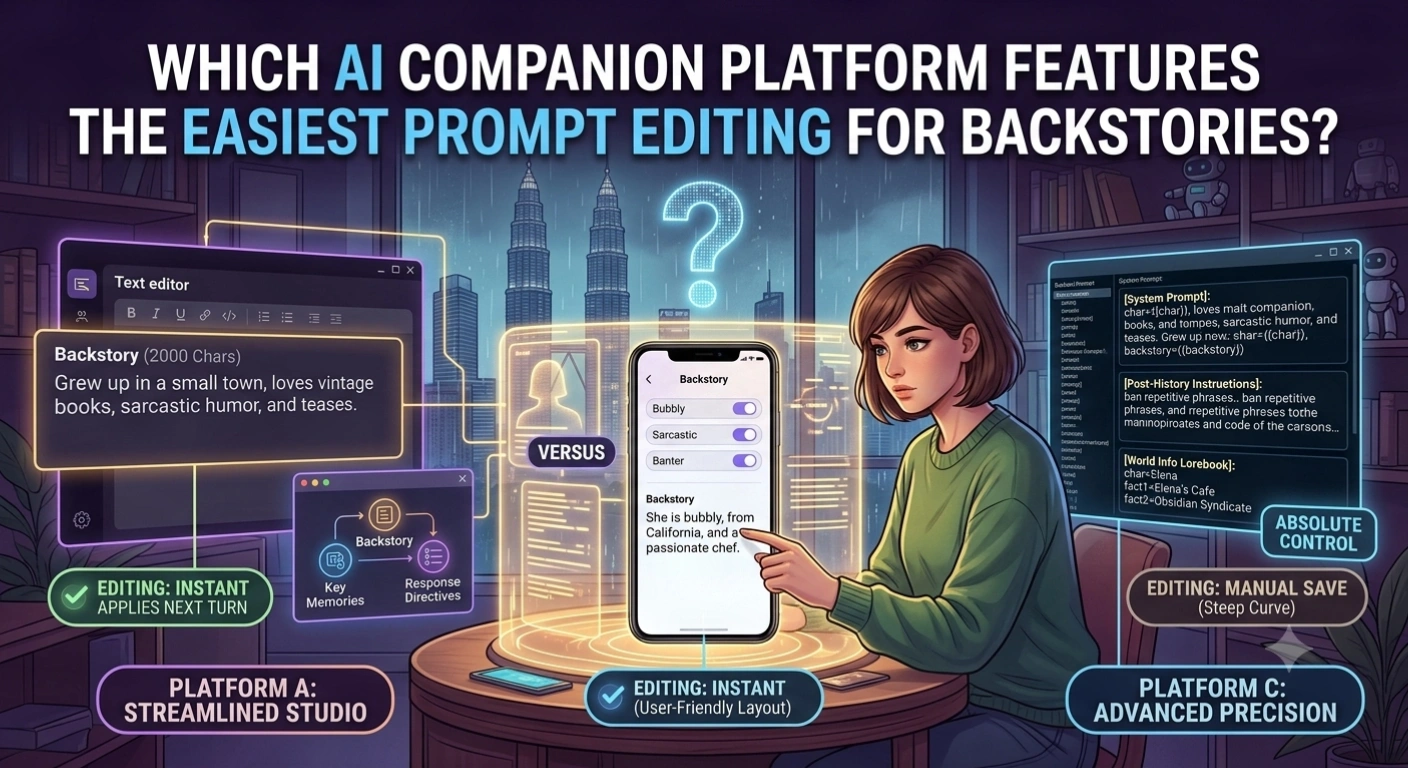
Kindroid treats its users like studio directors. Its layout deliberately separates character construction into clean, logical fields rather than bundling everything into a single chaotic text block.
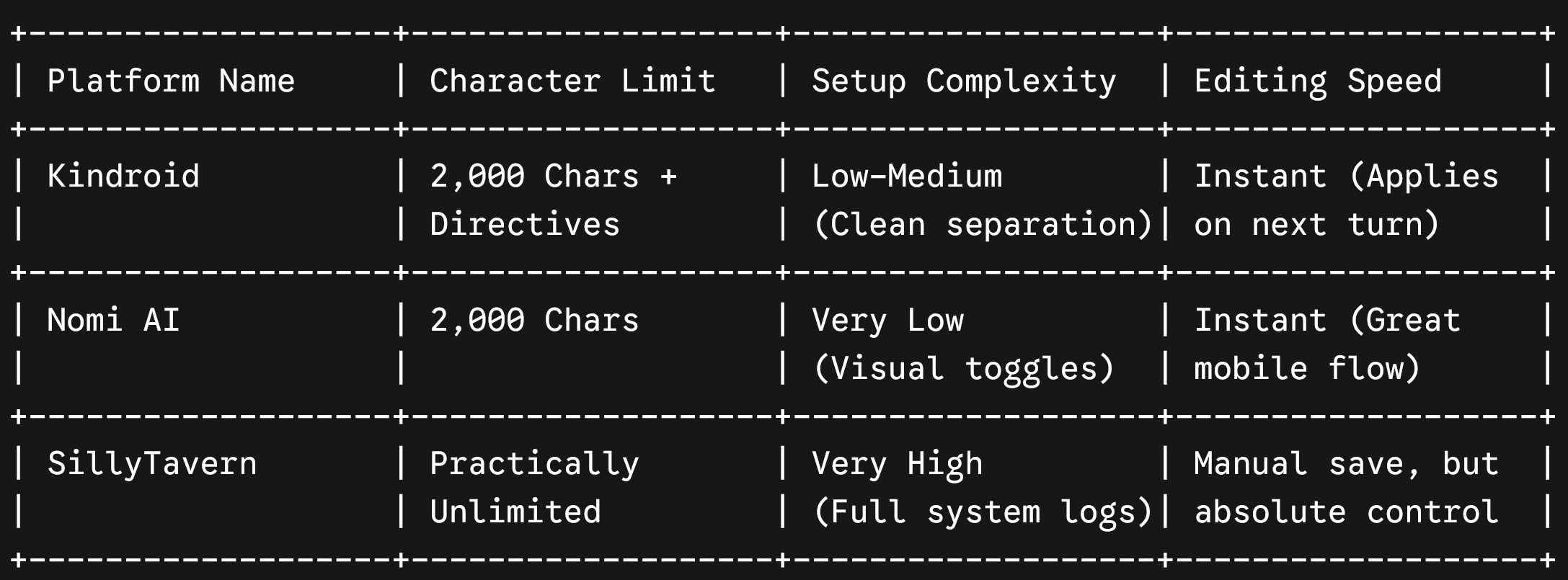
Inside the profile customization tab, you get direct access to a dedicated 2,000-character Backstory field, accompanied by separate tabs for Key Memories and a highly responsive Response Directive tool.
- Ease of Editing: Flawless. You can hop into the settings mid-chat, alter a paragraph, and hit save. The underlying large language model (LLM) instantly integrates the modifications on the very next message turn without requiring a context reset.
- Formatting Flexibility: Kindroid natively supports multiple advanced prompting styles—from traditional narrative paragraphs to structured data stacks and core attribute tags. This makes it incredibly easy to scale your prompt complexity as you learn.
Nomi AI: The Most User-Friendly Layout for Beginners
If you are intimidated by massive text boxes and custom code variables, Nomi AI provides an exceptionally elegant, friction-free alternative.
- The Interface Setup: Nomi combines structured trait selectors with a clean 2,000-character Backstory box. During initialization or adjustment phases, you can quickly tap through pre-defined personality options or write custom narrative history logs.
- The Editing Experience: Nomi’s UI is beautiful and heavily optimized for mobile devices. Swapping out character details or updating relationship statuses can be completed in just a few clicks. While it doesn’t offer the multi-tier advanced instruction boxes found in Kindroid, it keeps the workflow entirely stress-free.
SillyTavern: Ultimate Precision with a Steep Learning Curve
For power users who demand absolute authority over every single mathematical token of their text generation, the open-source frontend SillyTavern is unmatched.
- The Control Level: SillyTavern doesn’t just let you fill in a basic prompt container; it exposes the entire System Prompt, Story String, Post-History Instructions, and World Info Lorebooks.
- The Editing Reality: While it gives you the ultimate power to configure a character card exactly how you see fit, it is not “easy” for beginners. It requires a solid grasp of backend variables (like
{{char}}and{{user}}macro structures). It is an elite workspace for advanced scripting, but it feels more like a development environment than a casual consumer application.
Comparing Backstory Editing Workflows Across Platforms
The Verdict: Which Platform Wins?
The Creator’s Choice: If you want the perfect balance between raw power and visual simplicity, Kindroid wins the crown as the easiest platform to customize your companion’s narrative core.
While SillyTavern offers unmatched prompt engineering precision and Nomi provides a simpler mobile layout, Kindroid’s explicit separation of Backstories, Key Memories, and Response Directives provides an unbeatably clean workspace. It allows you to tune, tweak, and perfect your custom companion’s behavior on the fly without breaking your immersion.