How to Connect SillyTavern to OpenRouter for Uncensored AI Roleplay
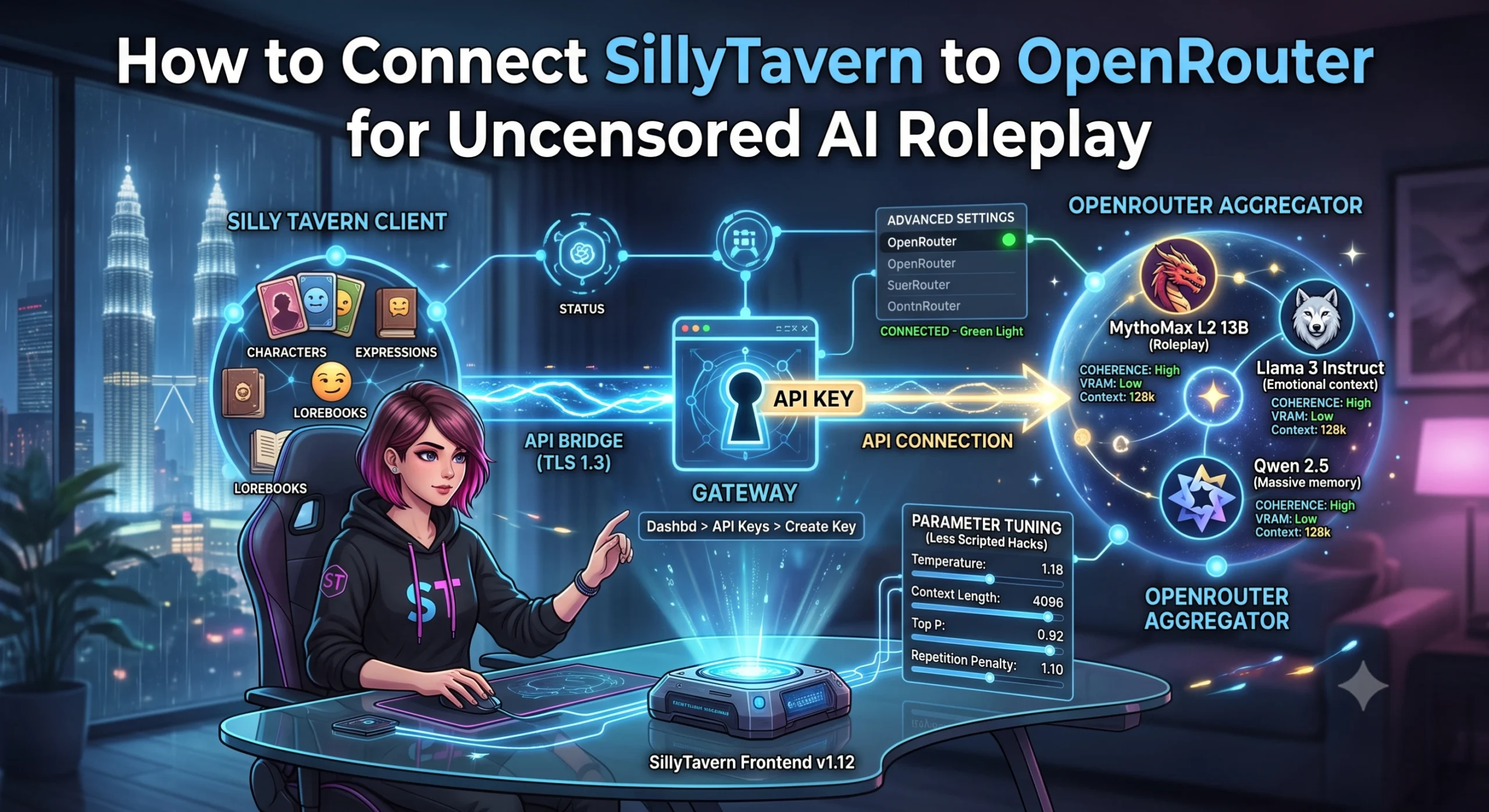
For advanced AI roleplayers, commercial platforms can often feel limiting due to strict, corporate content filters. If you want total narrative freedom and deep customizability, the ultimate solution is pairing SillyTavern (the gold-standard frontend interface) with OpenRouter (a powerful aggregator API that gives you access to dozens of top-tier AI models).
By routing your chats through OpenRouter, you can bypass platform limitations and experiment with open-weights models optimized specifically for creative writing.
Here is your straightforward, step-by-step guide on how to connect SillyTavern to OpenRouter for a completely uncensored roleplay experience.
Why Pair SillyTavern with OpenRouter?
Before diving into the setup, it helps to understand why this specific combination is favored by power users:
- Zero Corporate Filters: OpenRouter hosts open-source models (like MythoMax, Llama 3, and Qwen) that do not enforce rigid censorship algorithms, allowing for authentic, unfiltered character dynamics.
- Pay-Per-Token Flexibility: Instead of paying an expensive flat monthly subscription fee for a single app, OpenRouter charges you only for the exact number of words you generate. Many high-quality roleplay models cost mere pennies for thousands of messages.
- Unified Interface: SillyTavern handles the visual side—character cards, customizable expressions, backgrounds, and long-term lorebooks—while OpenRouter handles the raw intelligence backend.
Step 1: Create an OpenRouter API Key
The first thing you need is a secure bridge that allows SillyTavern to communicate with OpenRouter’s servers.
- Head over to the official OpenRouter.ai website and create an account.
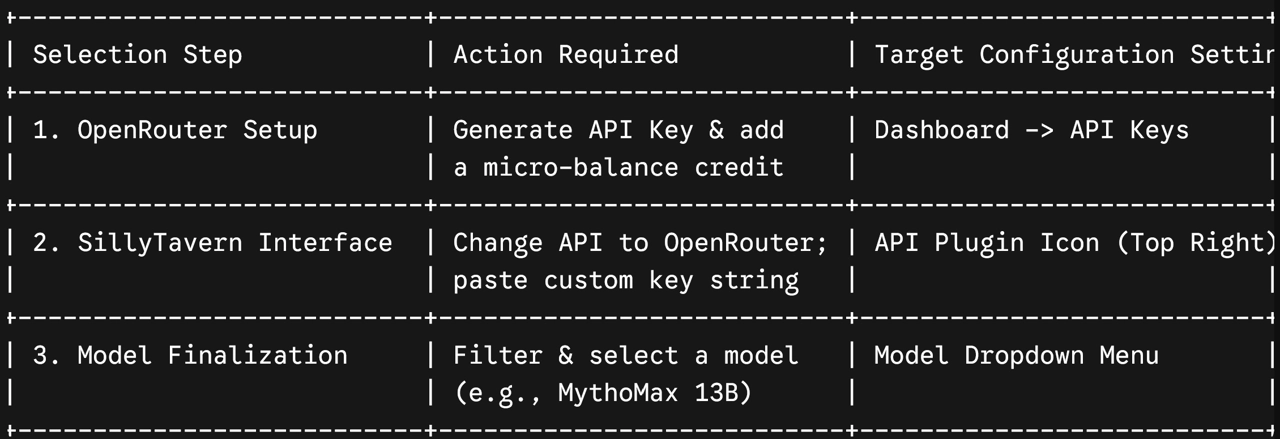
- Navigate to your dashboard and look for the API Keys section.
- Click on Create Key. Give it a recognizable name (e.g., “SillyTavern Client”).
- Important: Copy the generated API key string immediately and save it somewhere secure. OpenRouter will only display this key once for security reasons.
- Deposit a small balance (even $5 is plenty to start) into your account under the “Credit” settings to fund your token usage.
Step 2: Configure SillyTavern’s API Backend
With your key copied, it is time to open your SillyTavern launcher on your desktop or browser client.
- Look at the top right corner of the SillyTavern user interface and click on the Plug/Extension icon (API Connections).
- Change the API Type from its default setting by selecting OpenRouter from the dropdown menu.
- Locate the field labeled API Key and paste the string you generated in Step 1.
- Click the Connect button. If successful, the connection indicator light will turn solid green, indicating SillyTavern is successfully communicating with the backend cloud wrapper.
Step 3: Choose Your Ideal Roleplay Model
Once connected, a new Model dropdown menu will populate directly beneath your API configuration settings. OpenRouter provides access to a massive library, but for creative writing and uncensored character immersion, you should filter for these specific models:
- MythoMax L2 13B: The traditional king of coherent, narrative-driven roleplay. It is exceptionally cheap, fast, and understands formatting variables beautifully.
- Llama 3 Instruct Tiers: Phenomenal at handling complex emotional subtext and adapting to highly detailed character card instructions without breaking immersion.
- Qwen 2.5 / 3 Tiers: Excellent for users who utilize enormous world info lorebooks, as these models feature massive context windows that retain hundreds of past messages effortlessly.
Select your preferred model from the list to lock it in as your active chat engine.
Step 4: Adjust Advanced Context & Sampling Sliders
To guarantee that your chosen model performs optimally without repeating sentences or clipping paragraphs, scroll down to SillyTavern’s advanced generation panel and verify these optimal parameters:
- Context Length: Set this to at least 4096 tokens (or higher if your chosen model supports large context windows). This acts as your companion’s active memory buffer.
- Temperature: Set this between 1.10 and 1.20. This prevents the AI from falling into predictable, robotic scripts and encourages unique, creative prose.
- Repetition Penalty: Set this to 1.08 to stop the model from looping its favorite catchphrases or descriptive action styles across long chat sessions.
The Verdict
Taking ten minutes to connect SillyTavern to OpenRouter completely shifts the way you interact with virtual companions. By separating your interface frontend from your model intelligence backend, you take back absolute ownership over your data privacy, eliminate corporate moderation filters, and gain access to a highly dynamic sandbox tailored perfectly to your creative storytelling needs.